 Decluttering
 Room Organisation
 Storage Solutions
 Small Spaces
 Cleaning & Home Routines
 Product Guides
What Is a Virtual Decluttering Session and Does It Work?
How a video call session works, who it suits, how to prepare and what you can expect to get done.
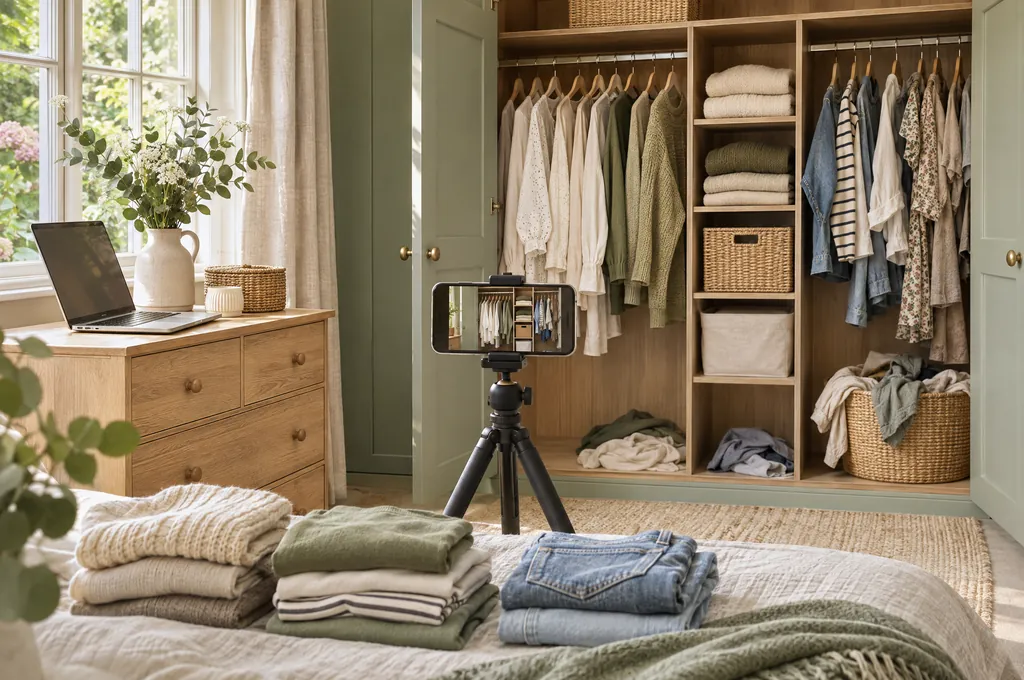
Quick answer: A virtual decluttering session is a video call with a professional organiser. You walk them round your space with your phone or laptop, and they guide you through sorting, decision-making and setting up a system while you do the hands-on work. It works well for people who are motivated but stuck, live outside an organiser's area or prefer to work privately, and it usually costs less than an in-person session.
In this article
Not everyone wants, or can have, a professional organiser in their home. You might live in a remote area, have a tight budget, feel self-conscious about letting someone in, or simply prefer to do the physical work yourself with an expert at your side. Virtual decluttering sessions were once a niche service, but they have become a popular way to get professional help. This guide explains how they work, who they suit and how to get the most from one.
How a virtual decluttering session works
- Booking and a short questionnaire. Many organisers ask a few questions in advance about the space, your goals and what has stopped you so far. Some ask for photographs.
- The video call. You connect on Zoom, Skype, FaceTime or a similar app, and give the organiser a tour of the space on camera.
- Working together in real time. The organiser guides you as you empty, sort and make decisions. They ask questions, suggest categories, help when you get stuck and keep you moving.
- Designing a system. Together you decide where things should live and how to keep them there.
- Follow-up. Many organisers send a written summary afterwards, with next steps and any storage recommendations.
Sessions usually focus on one space or one problem at a time, such as a wardrobe, a kitchen, a home office or a spare room that has become a dumping ground.
Who virtual sessions suit
- People who live outside an organiser's area, including rural parts of Scotland or abroad.
- People who know what to do but cannot get started, and need accountability and momentum.
- Anyone who feels embarrassed about having someone in their home. It can feel less exposing on a screen.
- Busy people who find it easier to book an hour online than a half day at home.
- People on a budget, as virtual sessions are often shorter and cheaper than in-person visits.
- Family members helping a relative from a distance.
When in-person help may be better
Virtual sessions are less suitable if the job involves a lot of heavy lifting, if you have mobility problems, if the home is so full that it is hard to move around safely, or if you need someone to physically take donations away. In those cases, hands-on help or a combination of the two may work better.
Does it really work?
For the right person and the right space, yes. The organiser's experience comes through the screen: the questions they ask, the categories they suggest and the way they keep decisions moving. Many people find they make faster progress because they are doing the work themselves and are more invested in the result. Because you set everything up with your own hands, you are also more likely to remember where things go and keep the system going.
The main limitation is that the organiser cannot see everything at once or lift things for you. Good preparation makes a big difference.
How to prepare for a virtual session
- Check your tech. Charge your phone or tablet, check your Wi-Fi reaches the room, and test the video app beforehand.
- Use a stand or tripod so your hands are free. A small phone tripod costs very little and makes a big difference.
- Have supplies ready: bin bags, boxes or bags for donations, a marker pen and some sticky labels.
- Clear a surface, such as a bed or table, where you can sort things.
- Do not tidy first. Just as with an in-person visit, the organiser needs to see the space as it really is. Read why you should not tidy before an organiser arrives.
- Think about your goals and the questions you want answered.
- Measure the space, including shelves and cupboards, in case storage comes up.
Romaine's tip: Book a time when you will not be interrupted, and plan an extra hour after the call. You will finish the session with momentum, and that hour is often when the most gets done.
How much does a virtual session cost?
Prices vary between organisers, but virtual sessions are usually charged by the hour or as a fixed package, and they are often cheaper than in-person work because there is no travel time. Some organisers offer packages of several sessions so they can support you through a whole house over a few weeks.
Virtual sessions with The Clutter Clinic
Our virtual organising sessions on Zoom or Skype, as recommended in The Times, give you access to Romaine's expertise and guidance wherever you live. They are ideal if you are outside Glasgow, want to work at your own pace, or are helping a relative from a distance. Find out more on our services page, read how to help elderly parents declutter if you are supporting a parent, or book a video session.
If you are not sure whether you need an organiser at all, our guide to the difference between a professional organiser and a cleaner may help, and our quickstart decluttering guide is a good place to begin on your own.
Frequently asked questions
What is virtual decluttering?
A session with a professional organiser over video call. You do the hands-on work while the organiser guides your decisions and helps you design a system.
Is virtual decluttering as good as in person?
For motivated people and manageable spaces, it can be just as effective and often cheaper. Very full homes or jobs involving heavy lifting usually suit in-person help better.
What do I need for a virtual decluttering session?
A phone, tablet or laptop with a camera, a reliable internet connection, a stand or tripod, and some bags and boxes for sorting.
How long does a virtual decluttering session last?
Many sessions last about an hour, focused on one space, although some organisers offer longer sessions or packages.